Free AI Clothes Changer
Upload a photo, then describe a new outfit or upload pictures of the clothes you want to try on. Mix up to 3 clothing items and accessories into one outfit. Your face, hair, pose and background stay the same.
Outfit Examples
Tap one to load its photos and text, then press Change Clothes.
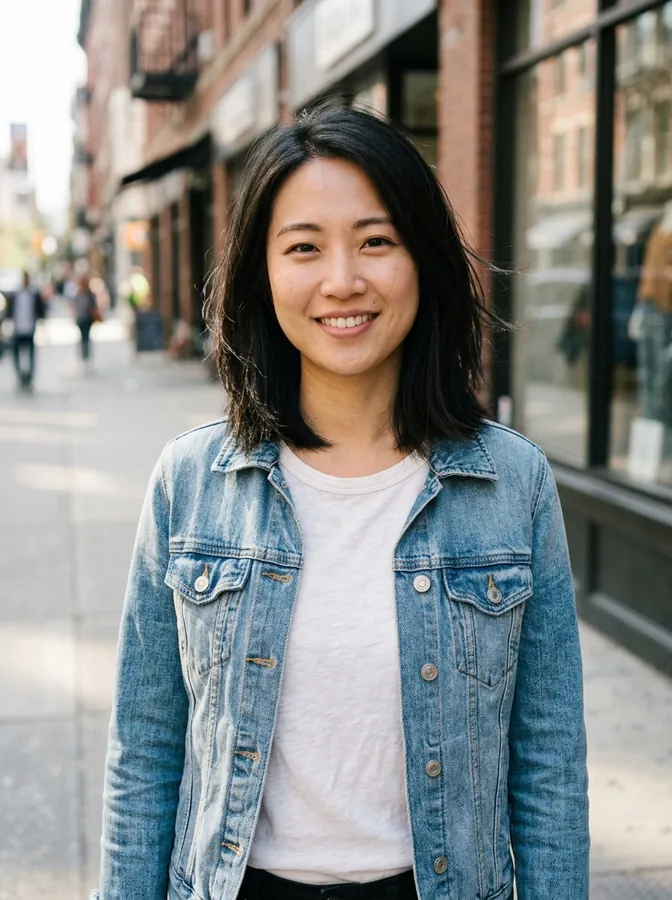 Before
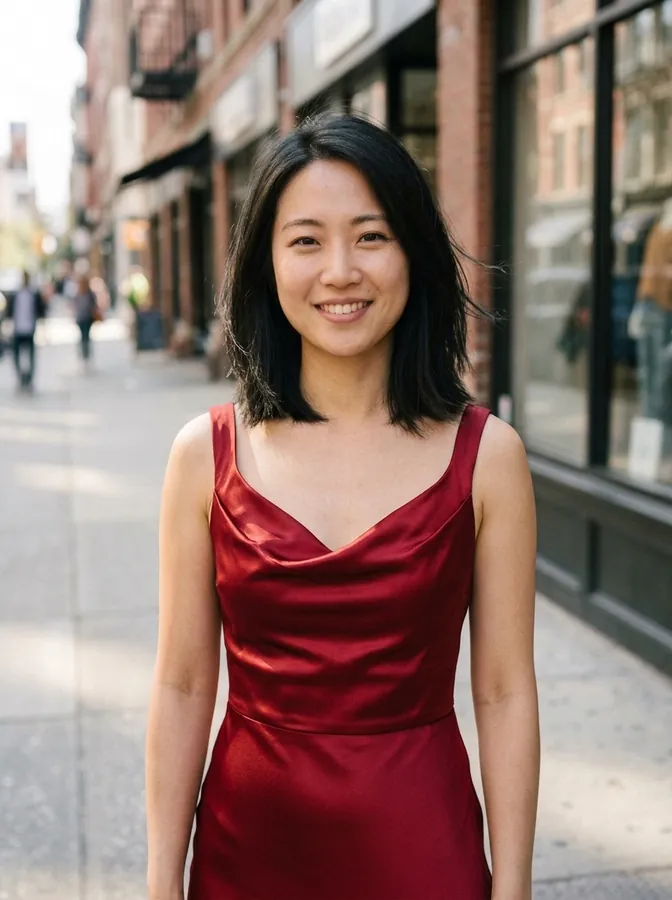 Red evening dress
Drag & drop or browse
PNG, JPG, JPEG or WEBP (max 10MB each)
0/1 uploaded
A clear photo of one person with the clothes in view. Half-body and full-body photos both work.
Upload a photo of the person to get started.
AI Outfit Changer: Before and After
Every result below was made with this tool from the AI-generated photo on the left, using a short text, a color change or a clothing photo. Nothing was retouched.
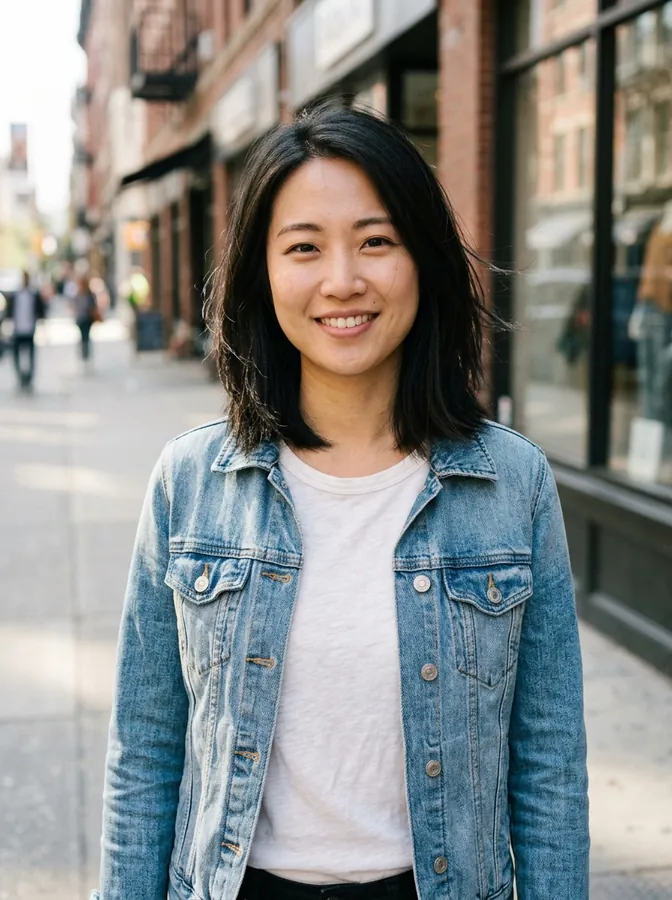
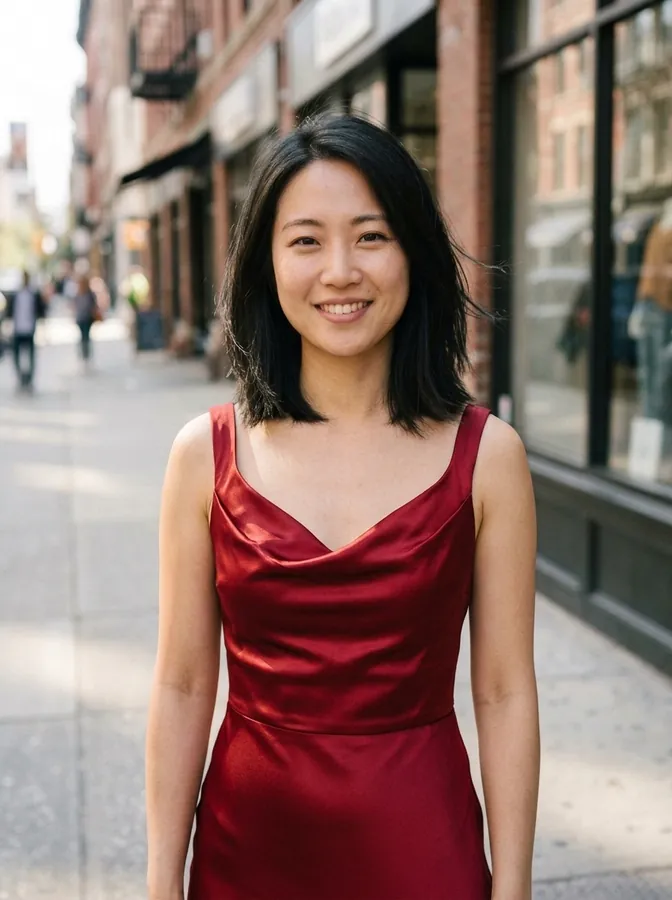
Red evening dress
A denim jacket and t-shirt swapped for a red satin evening dress. Her face, hair and the street behind her are unchanged.
Changed with a text description
Business suit
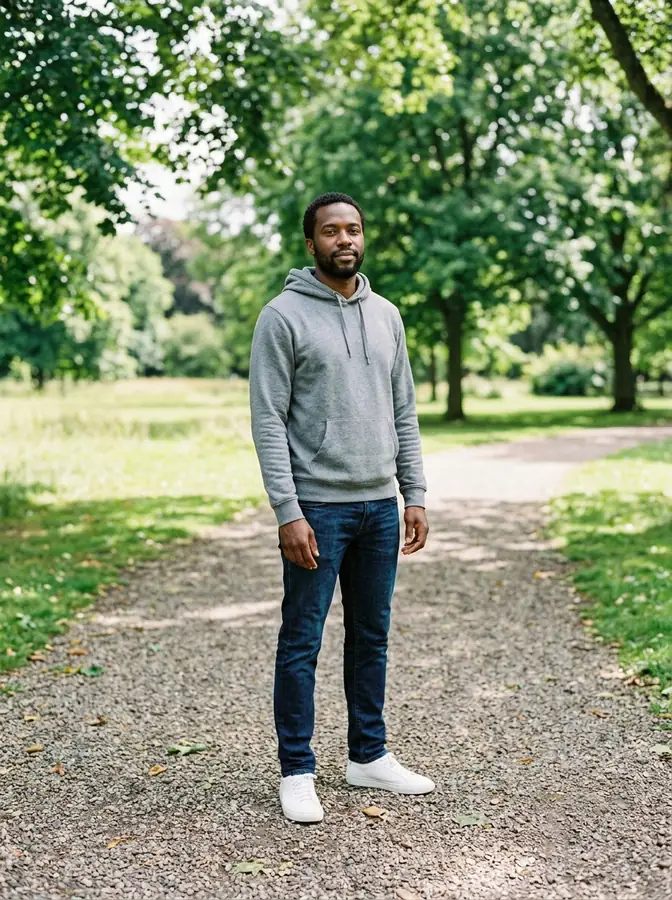
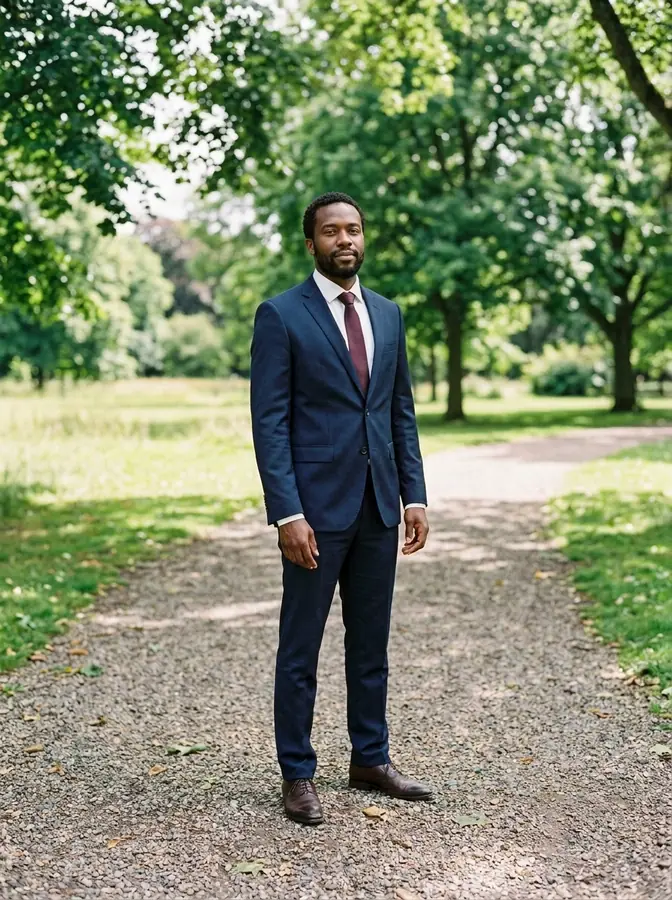
A hoodie and jeans changed to a navy suit with a white shirt and burgundy tie, down to the dress shoes.
Changed with a text description
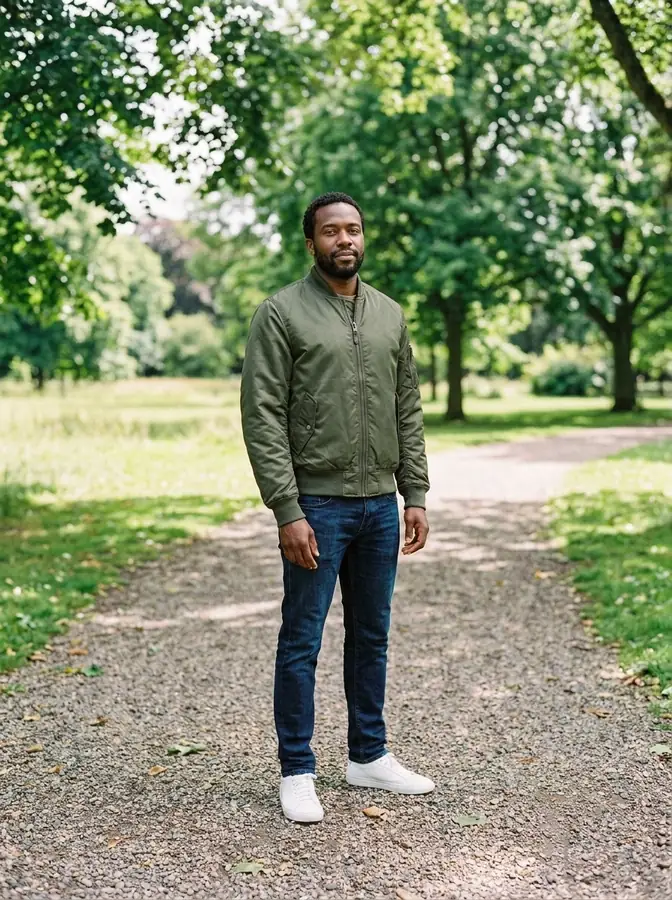
Bomber jacket
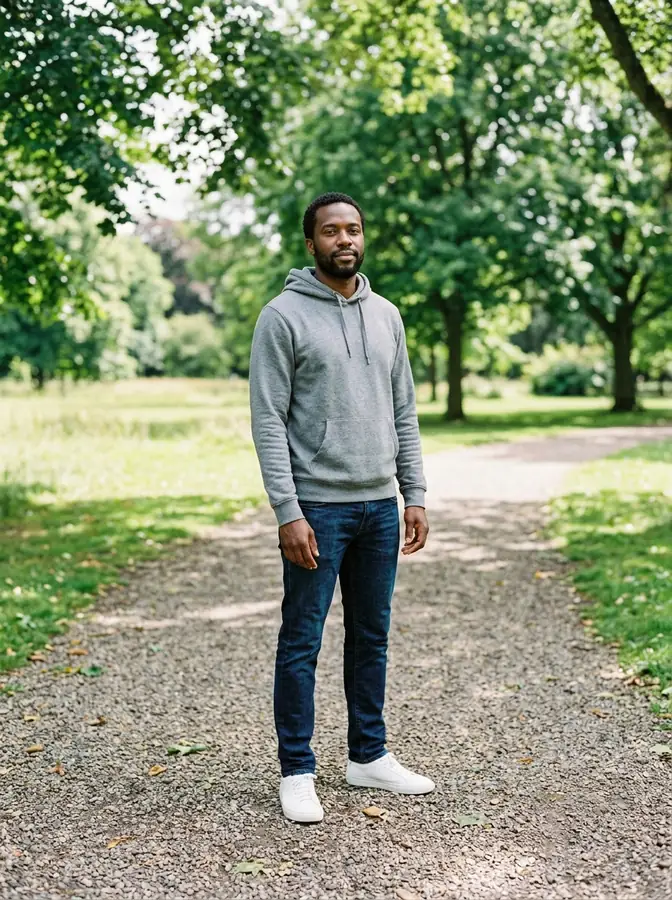
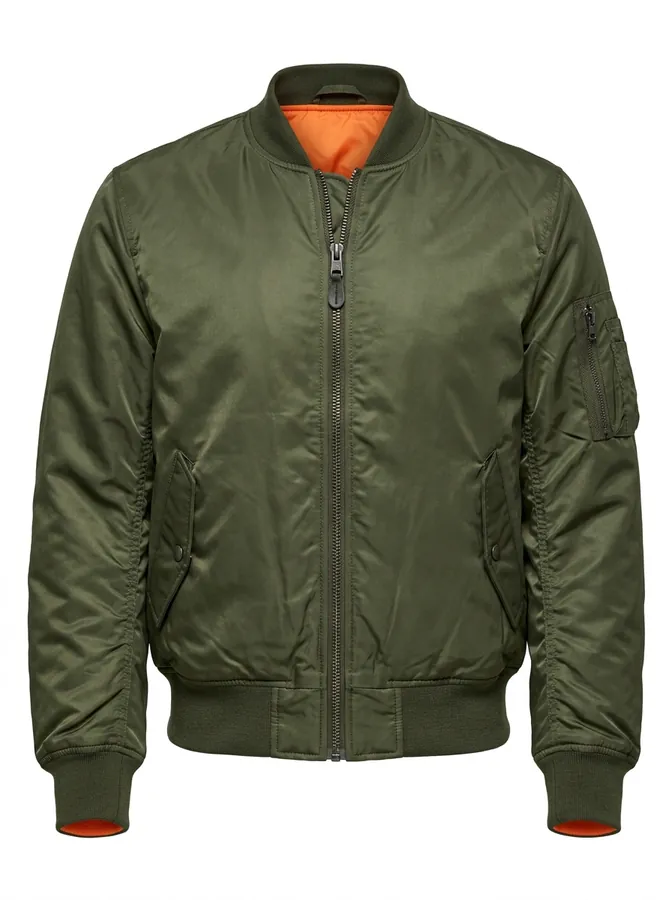
Only a product photo of an olive bomber jacket was added. The jacket replaces the hoodie and the jeans and sneakers stay.
Tried on from a clothing photo
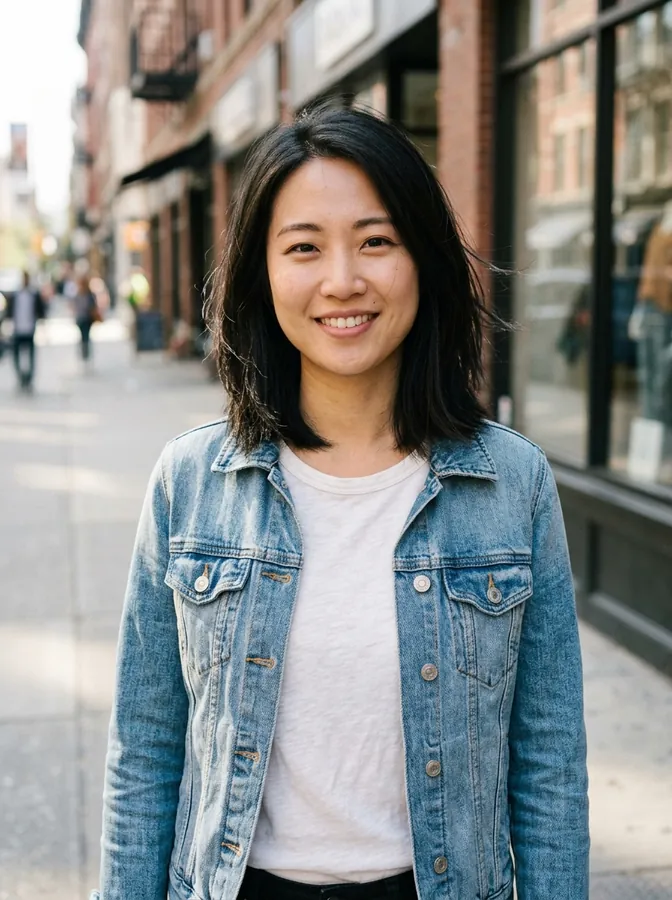
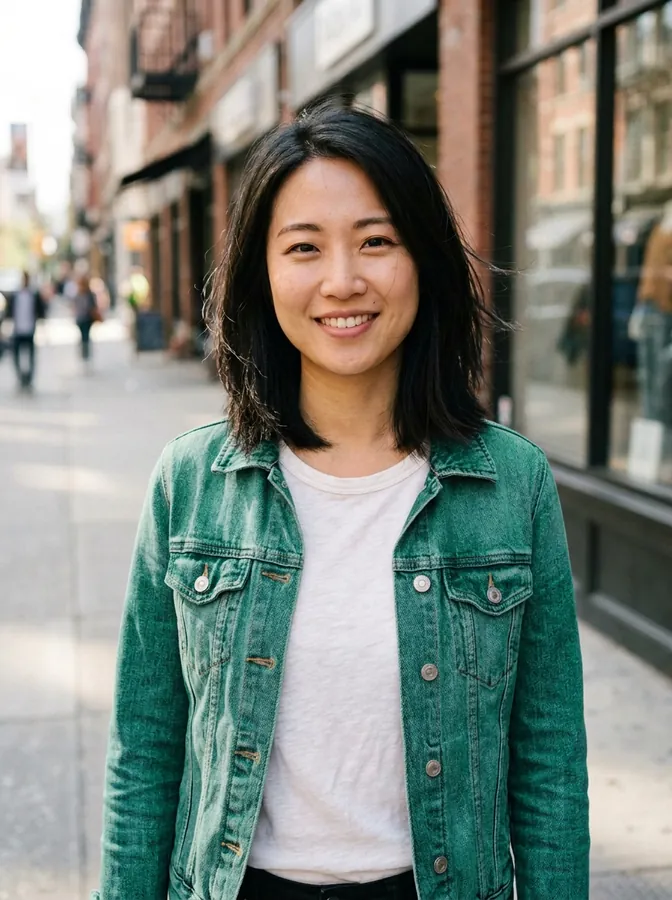
Green denim jacket
A color-only change: the same denim jacket, now emerald green. The cut, buttons and t-shirt stay as they were.
Color change only

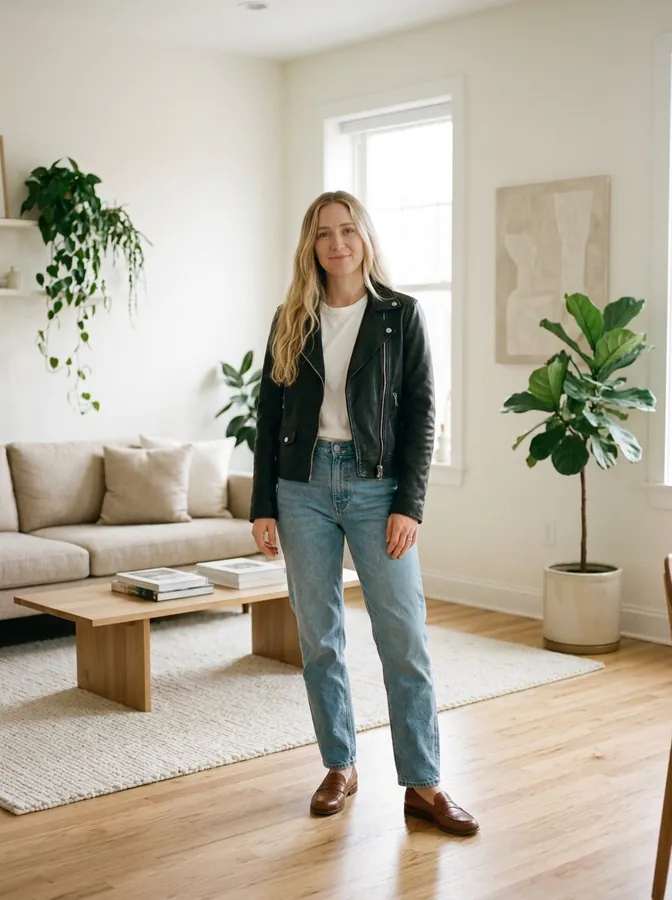
Leather jacket and jeans
A knit sweater and black trousers changed to a leather biker jacket, white tee and light jeans.
Changed with a text description

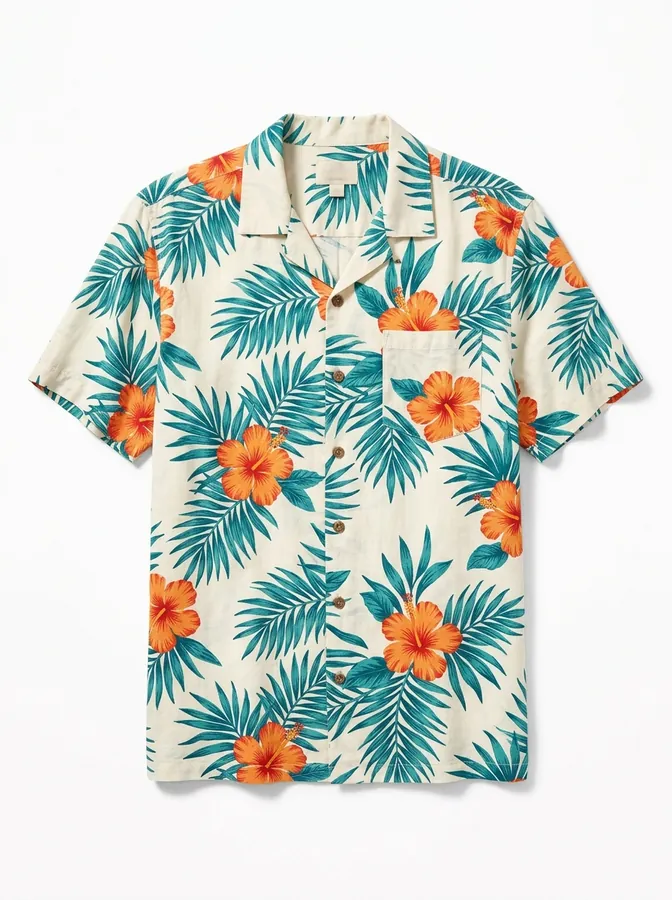

Hawaiian shirt
A white office shirt swapped for the tropical print shirt in the product photo, with the pattern carried over.
Tried on from a clothing photo
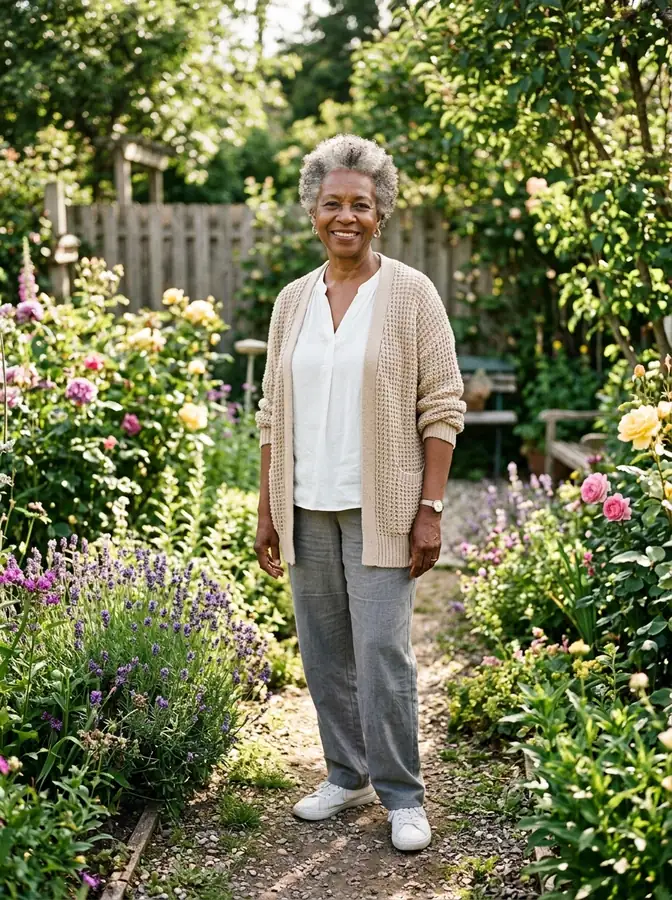
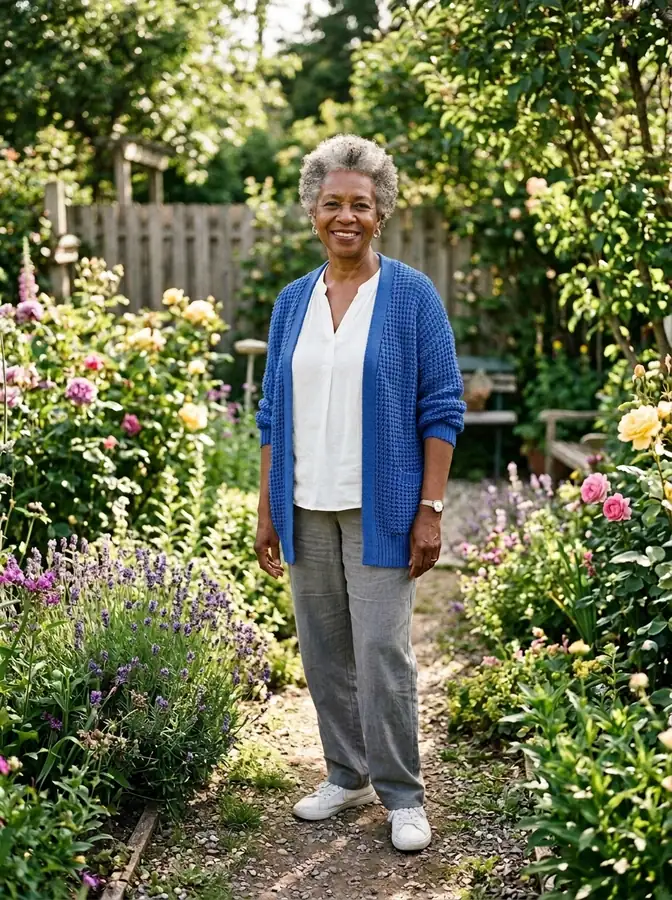
Cobalt blue cardigan
A color-only change on one piece: the beige cardigan turns cobalt blue, while the blouse and trousers keep their colors.
Color change only

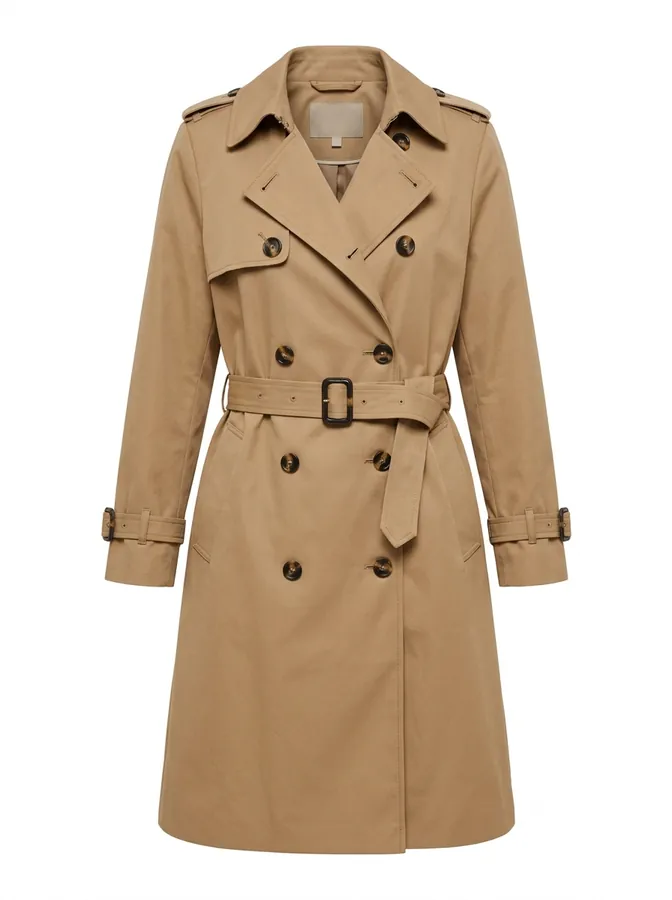

Trench coat
A camel trench coat from a product photo, belted and fitted over her trousers and loafers.
Tried on from a clothing photo

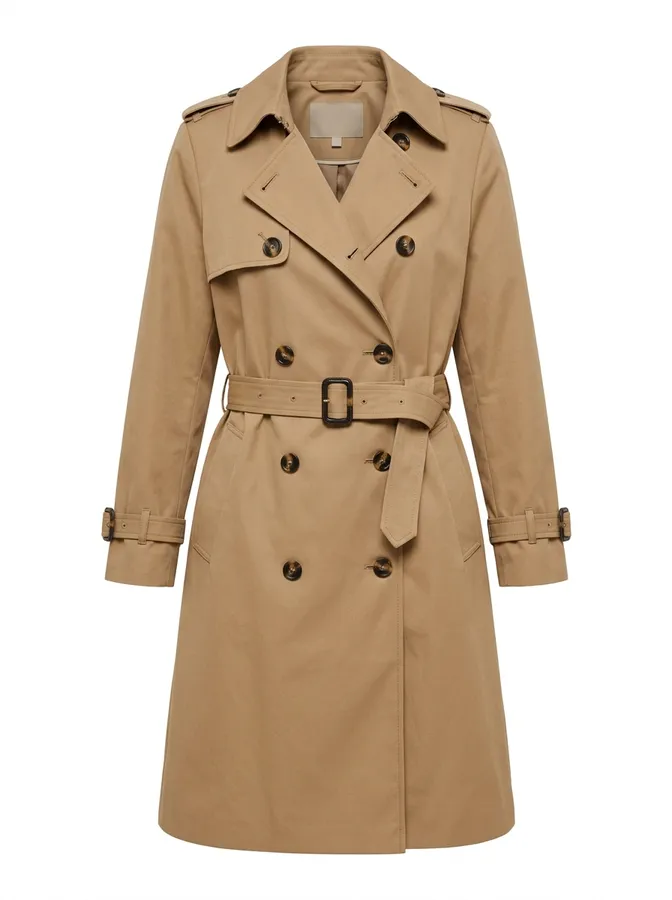
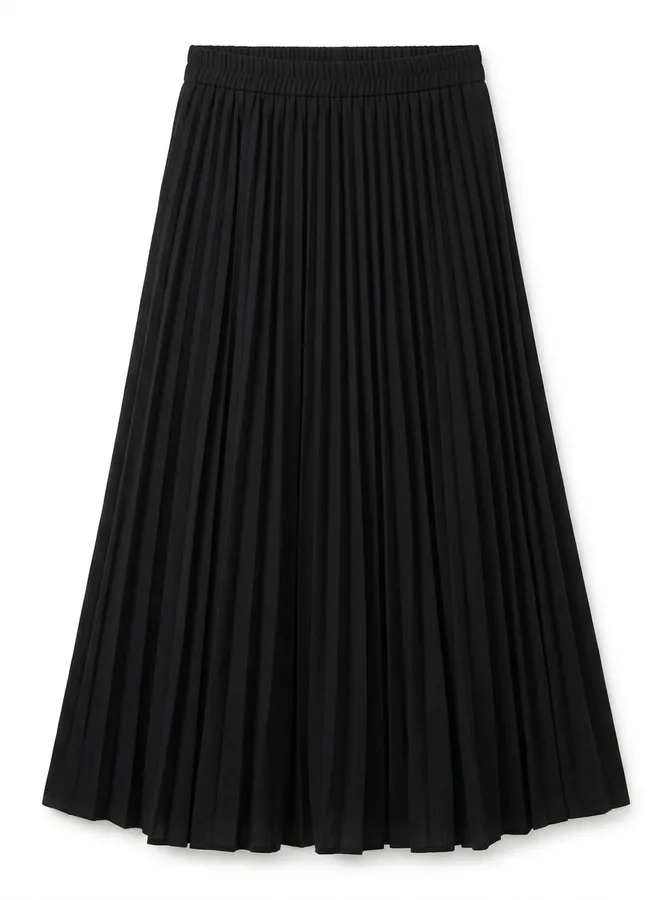
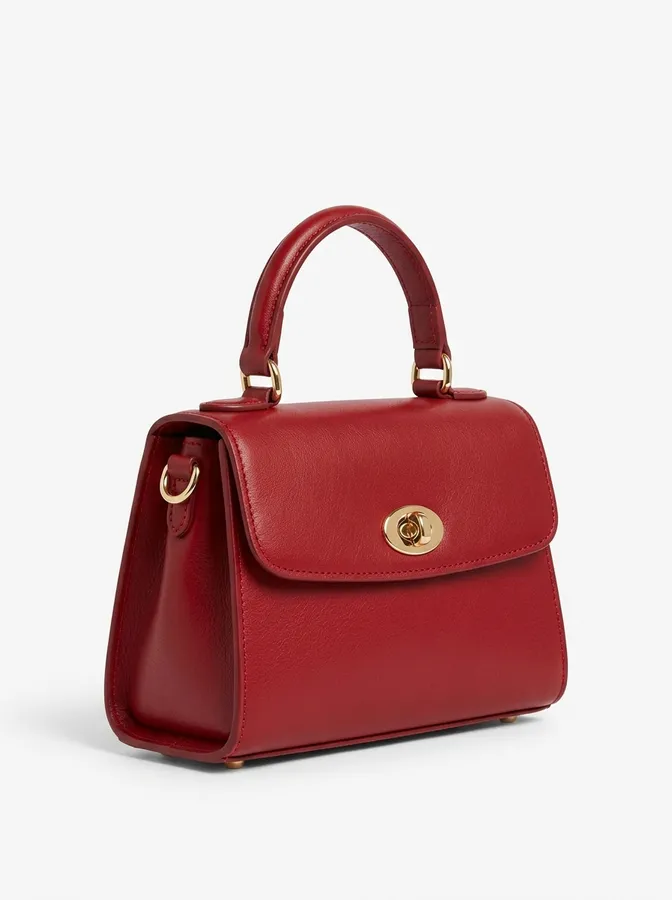
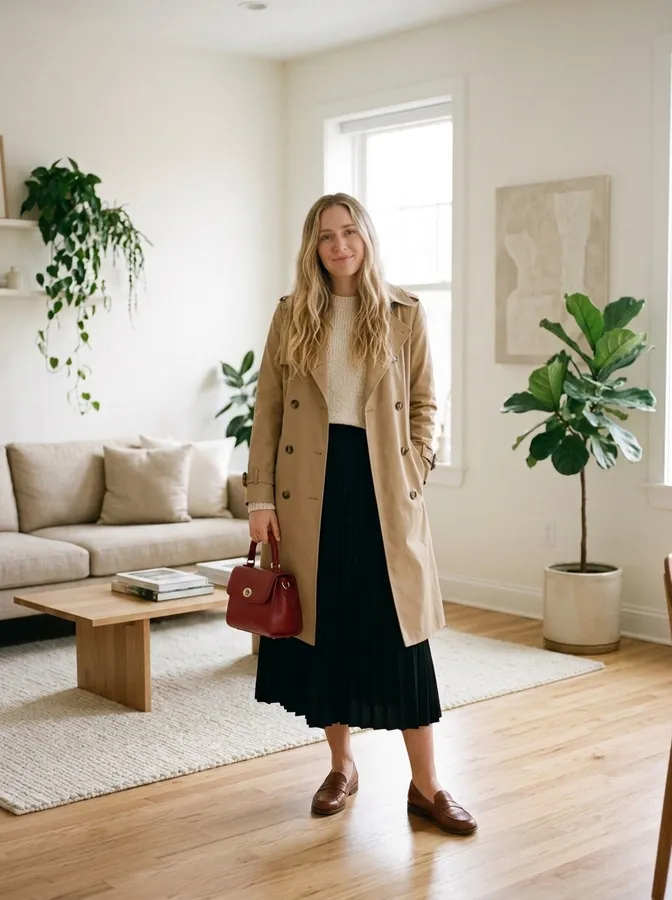
Coat, skirt & bag
Three product photos mixed into one outfit: a camel trench coat, a black pleated skirt and a red handbag.
Tried on from a clothing photo
What You Can Do With an AI Clothes Changer
Try a look before you buy it, plan an outfit for an event, or just see yourself in something new.
Try On Clothes Before You Buy
Save the product photo of a jacket, dress or shirt you like and upload it with your photo. See how it looks on you before you order.
Plan an Outfit for an Event
Wedding guest, prom, a job interview or a party: try a few outfits on the same photo and compare them side by side.
Dress Up a Profile Photo
Have a good photo in a t-shirt? Put yourself in a suit or a blazer for a more formal profile picture, with your face unchanged.
Change Clothes Color
Wondering if a sweater would look better in navy or pink? Change the clothes color and keep the same style, fabric and fit.
Show Clothing on a Person
Small shops and resellers can show a garment on a person instead of on a hanger. Use photos of yourself or of people who agreed to it.
AI Dress Up for Fun
Try a tuxedo, a wedding dress, streetwear or a winter coat on your own photo, or describe any outfit you can think of.
How to Change Clothes in a Photo With AI
Three steps in your browser. No app to install.
- 1
Upload a photo
Use a clear photo of one person where the clothes are visible. JPG, PNG and WebP work.
- 2
Describe the outfit or upload the clothes
Write what to wear, tap an outfit idea or a color, or switch to Upload clothing and add photos of up to 3 clothing items and accessories to mix into one outfit.
- 3
Change clothes and download
Press Change Clothes. The new outfit shows up next to the tool and is saved to My Creations, where you can compare and download it.
Tips for a more realistic result
- Show the whole outfit you want to change. For a dress or trousers, use a full-body photo.
- For clothing photos, a product shot on a plain background works better than a busy photo with another person.
- Use a photo of one person. With a group photo, the AI may dress the wrong person.
- Be specific: name the item, color and fabric, such as "a navy wool blazer over a white shirt". If a result is close, adjust the text and try again.
Why Use This AI Outfit Changer
Built to change the clothes and keep everything else about your photo.
Your Face and Pose Stay the Same
Every change tells the AI to keep your face, hairstyle, body shape, pose, background and lighting, and change only the clothes.
Try On Real Clothes From a Photo
Upload a product photo and the AI puts that exact garment on you, with its color, print and details.
Outfit Ideas and Colors in One Tap
8 ready-made outfit ideas and 9 clothes colors write the instructions for you. Edit the text to make it your own.
Same Framing as Your Photo
The result keeps the shape of the photo you upload, so the before and after line up for an easy comparison.
Saved to My Creations
Each result is kept in your account, so you can come back later, compare outfits and download the ones you like.
Works Online on Phone and Computer
It runs in your browser. Take a photo on your phone and change your outfit right away.
AI Clothes Changer FAQ
Questions people ask before changing outfits in a photo.
It is a tool that edits a photo to show the person in different clothes. You upload a photo, describe the new outfit or upload a picture of the clothes, and the AI redraws only the clothing while keeping the face, pose and background.
Upload a photo of one person. Then either describe the outfit you want, tap an outfit idea or a color, or switch to Upload clothing and add a photo of the garment. Press Change Clothes and the result appears in under a minute. Each change uses 3 credits.
Yes. Sign up for a free account and you get 4 free credits, enough for 1 outfit change. It runs online in your browser, so there is nothing to download. To try more outfits, you can buy more credits.
You can upload a photo, try the examples and set up your outfit without an account. To generate the result you need a free account, which takes a few seconds with Google and comes with 4 free credits. The account is also where your results are saved.
New accounts get 4 free credits, enough for 1 free outfit change. After that, each outfit change costs 3 credits, and you can buy credit packs or a subscription on the pricing page. Credits are only used when you press Change Clothes, and if a generation fails, the credits are returned.
Yes. Switch to Upload clothing and add a photo of the garment, such as a product photo from a store. The AI dresses the person in that item and keeps its color, print and details. A plain background with the whole garment in view gives the best result.
Yes. Tap a color under Change clothes color only. The AI keeps the same clothes, style, fabric and fit and changes the color. To recolor a single piece, edit the text, for example "Change only the color of the jacket to red".
Yes. Describe any outfit in your own words, like "a beige linen suit with a straw hat", or tap one of the outfit ideas, and the AI generates that outfit on your photo. Try a few versions on the same picture to compare them.
It is told to keep the face, hairstyle, body shape, pose, background and lighting the same. Small differences can still happen, most often around the neckline and hands, so compare the result with your original photo.
A clear, well-lit photo of one person with the clothes you want to change in view. Use a full-body photo for dresses, trousers and long coats, and a half-body photo for tops and jackets.
Yes. It works with any photo of a person. The outfit ideas include suits, a tuxedo, dresses, streetwear and coats, and you can describe any other outfit yourself.
Your photo is uploaded over an encrypted connection and used to create your result. We do not sell your data. Results are saved to My Creations in your account, where you can delete them at any time. Only upload photos of yourself or of people who have agreed to it. Our Privacy Policy has the details.
Yes. In Upload clothing you can add up to 3 clothing items and accessories at once, such as a top, trousers and sneakers, or a coat, a skirt and a bag. The AI combines them into one outfit on your photo. It still costs 3 credits, however many items you add. Use a full-body photo when the outfit includes trousers, skirts or shoes.
Try a New Outfit on Your Own Photo
Upload a photo and change your clothes with AI in under a minute.
More tools: AI Photo Editor · AI Hairstyle Changer · AI Object Remover · Pricing