Free AI Hairstyle Changer
Upload a selfie, tap a haircut or hair color, and see the new look on your own photo in under a minute. Your face, expression and background stay the same.
Hairstyle Examples
Tap one to load its photo and style, then press Try On Hairstyle.
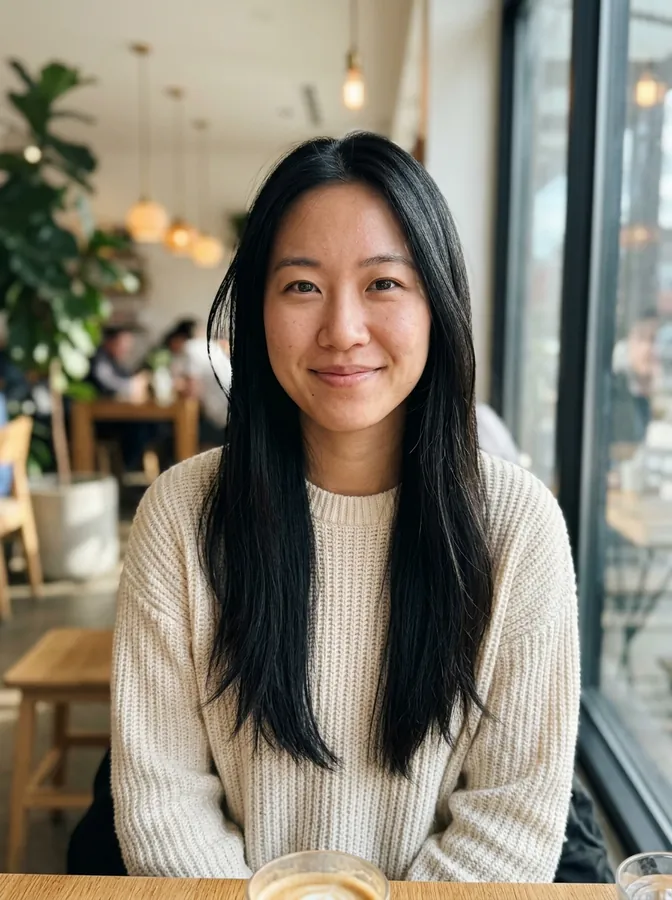 Before
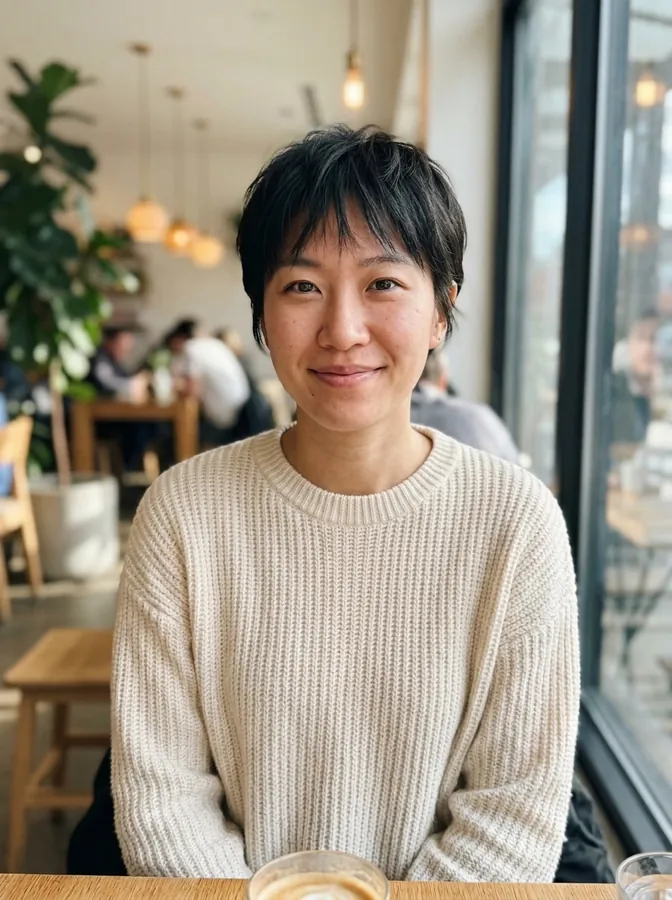 Pixie cut
Drag & drop or browse
PNG, JPG, JPEG or WEBP (max 10MB each)
0/1 uploaded
A clear, front-facing photo with your hair visible works best. One person per photo.
Upload a photo to get started.
Try On Hairstyles: Before and After
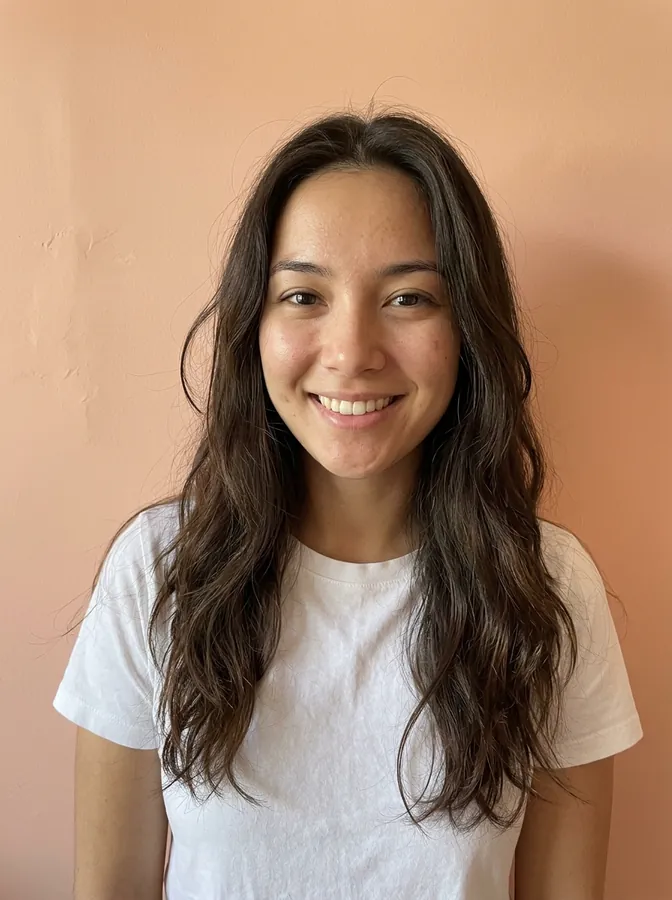
Every result below was made with this tool, from the AI-generated portrait on the left and the presets named under it. Nothing was retouched.
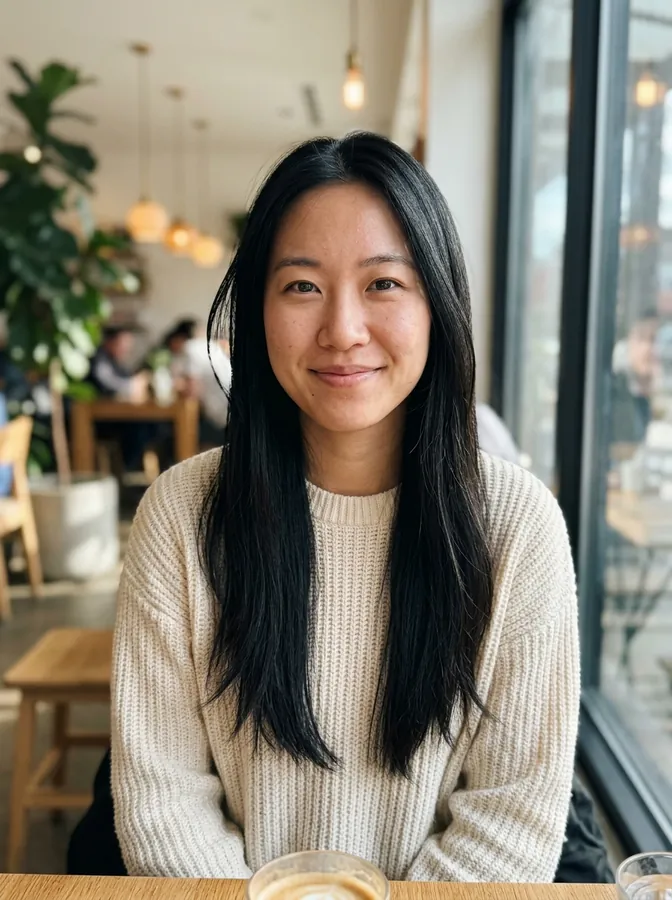
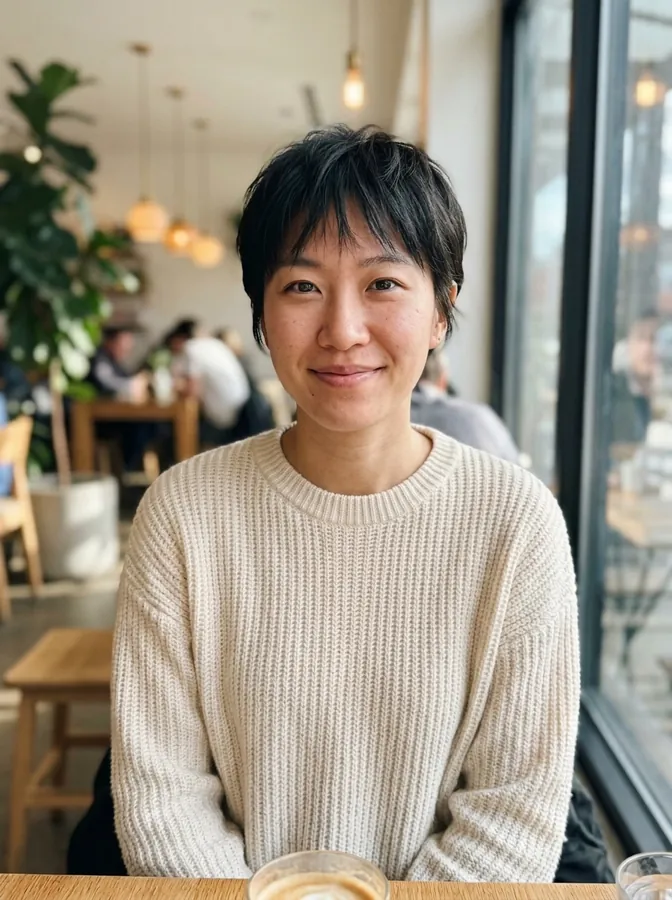
Pixie cut
Long straight hair cut into a short pixie. Her face, sweater and the cafe behind her are unchanged.
Hairstyle: Pixie cut


Box braids
Natural hair in a low puff changed to long box braids, with the same smile and park background.
Hairstyle: Box braids


Curtain bangs
Long hair with no fringe, cut to shoulder length with curtain bangs. A quick way to see how bangs frame your face before you cut them.
Hairstyle: Curtain bangs


Low taper fade
Messy medium-length hair turned into a low taper fade with short textured hair on top.
Hairstyle: Low taper fade


Bald filter
The bald filter removes the hair and keeps the beard, shirt and office exactly as they were.
Hairstyle: Bald filter


Buzz cut
Shoulder-length waves taken all the way down to a short buzz cut.
Hairstyle: Buzz cut
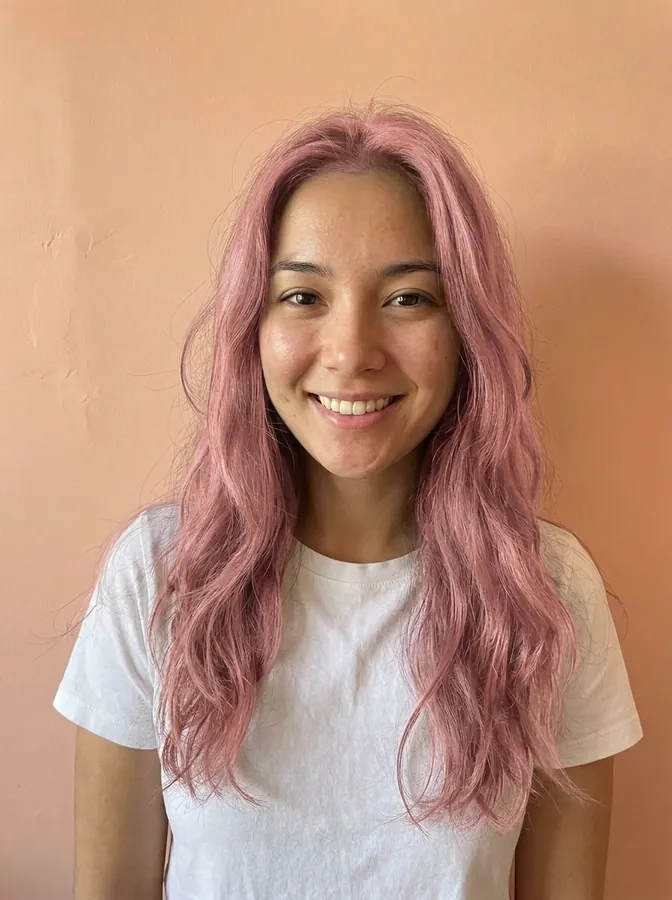
Pink hair
Only a hair color was picked, so the length and waves stay and the color turns pastel pink.
Hair color: Pink


Silver pompadour
Graying hair styled into a classic pompadour and colored an even silver gray.
Hairstyle: Pompadour · Hair color: Silver gray
What You Can Do With an AI Hairstyle Changer
Use it before a salon visit, before a bold hair color, or just to see a different version of yourself.
Preview a Haircut Before the Salon
Going from long hair to a pixie or a bob is a big step. Try the cut on your own photo first, then show the result to your stylist.
Find the Hairstyle That Suits You
Not sure what hairstyle suits your face? Try a few looks on the same selfie and compare them side by side. Your own eye is the best judge.
Try a New Hair Color Without Dye
See yourself in platinum blonde, copper, pink or silver gray before you bleach anything. Pick only a color to keep your current cut.
Bangs Filter: Test Bangs Before You Cut Them
What would you look like with bangs? Curtain bangs, a wolf cut or a hime cut with straight bangs all change how your face is framed. Try them on your own selfie before the scissors come out.
Buzz Cut Filter and Men's Fades
Wondering what you would look like with a buzz cut? Try a buzz cut, low taper fade, burst fade, modern mullet, Edgar cut or textured fringe and see which length works with your face and beard.
Bald Filter: See Yourself Bald
Curious what you would look like bald, or after shaving your head? The bald filter removes your hair and keeps your face, beard and background exactly as they were.
How to Try On Hairstyles With Your Picture
Three steps in your browser. No app to install.
- 1
Upload a selfie
Use a clear, front-facing photo where your hair is visible. JPG, PNG and WebP work.
- 2
Pick a hairstyle or color
Tap a women's or men's style, the bald filter or a hair color, or combine a style with a color. You can also describe a look in your own words.
- 3
Try it on and download
Press Try On Hairstyle. The new look shows up next to the tool and is saved to My Creations, where you can compare and download it.
Tips for a more realistic result
- Face the camera, with your hairline and the sides of your head in the frame.
- Use even light. Hats, hands in the hair and strong shadows make the hair harder to replace.
- Use a photo of one person. With a group photo, the AI may change the wrong person's hair.
- If a result is close but not quite right, add a short note in the description box, such as "a little shorter" or "with side-swept bangs", and try again.
Why Use This Free Hairstyle Filter
Built to keep you looking like you, with only your hair changed.
Your Face Stays Yours
Every preset tells the AI to keep your face, facial features, skin tone, expression, clothing and background, and change only the hair.
No Prompt Writing
Pick from 21 hairstyle presets, including the bald filter, and 15 hair colors with a tap. Each button writes the instructions for you.
Mix Styles and Colors
Combine a haircut with a color in one try, like a honey blonde bob or a silver gray pompadour.
Same Framing as Your Photo
The result keeps the shape of the photo you upload, so the before and after line up for an easy comparison.
Saved to My Creations
Each result is kept in your account, so you can come back later, compare looks and download the ones you like.
Works on Phone and Computer
It runs in your browser. Take a selfie on your phone and try styles right away.
AI Hairstyle Changer FAQ
Questions people ask before trying on a new look.
It is a tool that edits your photo to show you with a different haircut or hair color. You upload a selfie, choose a style, and the AI redraws only the hair while keeping your face and the background.
Yes. Upload one photo of yourself, pick a hairstyle or a hair color, and you get the same photo back with the new hair. You can try as many styles as you like on the same picture. Each try-on uses 3 credits.
Sign up for a free account and you get 4 free credits, enough for 1 try-on. Upload a front-facing selfie, try the style you are most curious about, and compare it with your original photo. To compare more looks, you can buy more credits.
Yes, this page. It works in the browser on your phone or computer and has women's and men's hairstyles, a bald filter and hair colors. There is nothing to install.
New accounts get 4 free credits, enough for 1 free try-on. After that, each hairstyle try-on costs 3 credits, and you can buy credit packs or a subscription on the pricing page. Credits are only used when you press Try On Hairstyle, and if a generation fails, the credits are returned.
Yes. Pick only a hair color and leave the hairstyle empty. The AI keeps your cut, length and texture and changes the color. You can also pick a hairstyle and a color together.
Yes. There are men's presets for a low taper fade, burst fade, buzz cut, modern mullet, textured fringe, crew cut, Edgar cut, French crop, pompadour and undercut, plus the bald filter. Beards are kept as they are.
It is told to keep your face, facial features, skin tone, expression, pose, clothing and background the same. Small differences can still happen, most often around the hairline and ears, so compare the result with your original photo.
On this site, your photo is uploaded over an encrypted connection and used to create your result. We do not sell your data. Results are saved to My Creations in your account, where you can delete them at any time. Only upload photos of yourself or of people who have agreed to it. Our Privacy Policy has the details.
A clear, well-lit, front-facing photo of one person with the hair visible. Avoid hats, heavy filters and photos where the face is very small.
It is a realistic preview, not a promise of what a stylist can cut. Real results depend on your hair type, thickness and length. Use it to narrow down ideas, then talk them through with your stylist.
Upload a front-facing selfie and tap Buzz cut. The AI shortens your hair to an even buzz and keeps your face, beard and background the same, so you can see the look before you pick up the clippers. You can add a hair color too, like platinum blonde.
Pick the Bald filter. It removes all of your hair and gives you a smooth, clean-shaven head with lighting that matches the photo. Your face, beard and clothes stay as they were. Hair colors are turned off for this preset.
Tap Curtain bangs to see soft bangs parted in the middle, or try a wolf cut or hime cut for heavier bangs. If you want a specific fringe, describe it in the box, for example "short blunt bangs".
See Your Next Hairstyle Before You Book
Upload a selfie and try on a new haircut or hair color in under a minute.
More tools: AI Photo Editor · Edit Text in Image · Pricing